|
This tutorial will teach you how to make bat wings. They are relatively simple to create, in either pixel or using blurring and softening tools. First, you can start by finding a picture of bat wings which you like.
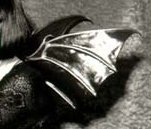
1. Start by selecting a palette of colors in which to work with.

2. Trace over the 'bones' of the wing in your darkest color.

3. Flood fill the 'bones' with the next lightest color.

4. Flood fill the rest of the wings with the same next lighter color.

5. Using the selection wand  , click in each part of the skin of the wing. Do this by holding down the shift key to select all three sections. Now, create a new layer. , click in each part of the skin of the wing. Do this by holding down the shift key to select all three sections. Now, create a new layer.
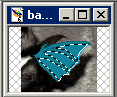
6. Color in the wings as so, to create highlights.
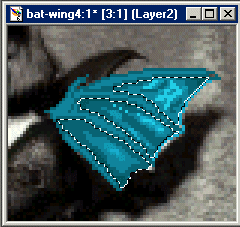
7. Go to Images / Blur / Gaussian Blur and set the radius between .5 and 2, or wherever else you would like. I used 1.

8. Your wing should look somewhat similar to this one now.

9. Do any cleaning up that you may have to do, and you are done with your wing. Hope this helps you out, and if you have any feedback please email me.

| 